The problem: headless LLM crawlers often miss entities that appear after render
Many modern sites don’t ship complete entity data in the initial HTML. They rely on client-side JavaScript, delayed API calls, hydration, or user-triggered interactions to populate key details: product variants, author bios, pricing, FAQs, locations, and even the primary name of an item.
Classic SEO crawlers have gradually improved at rendering JavaScript. But headless LLM crawlers and AI visibility pipelines are not a single thing. Some fetch only HTML. Some render with strict timeouts. Some block third-party calls. Some snapshot too early. The result is predictable: late-loaded entities never make it into the model’s extracted representation.
The AI Render-Lag Index is a practical way to measure that gap, quantify risk, and prioritize fixes without guessing.
What the AI Render-Lag Index measures
Render lag is the time between when your page becomes “crawlable” and when the entities that matter become “extractable.” The index is a score derived from controlled captures of the page at multiple points in the load lifecycle.
At minimum, it answers three questions:
- Which entities are missing at early snapshots?
- When do they appear in the DOM and in visible text?
- Do they ever appear without user interaction?
Why this matters for AI visibility
LLMs and AI agents typically build a compact internal representation: key entities, attributes, and relationships. If a crawler snapshots before the entity is present, your page can still rank in traditional search yet fail to show up correctly in AI answers, AI overviews, or agent-driven flows.
This is also why “it looks fine in my browser” is not a meaningful validation step for AEO/GEO work.
How to calculate the index in practice
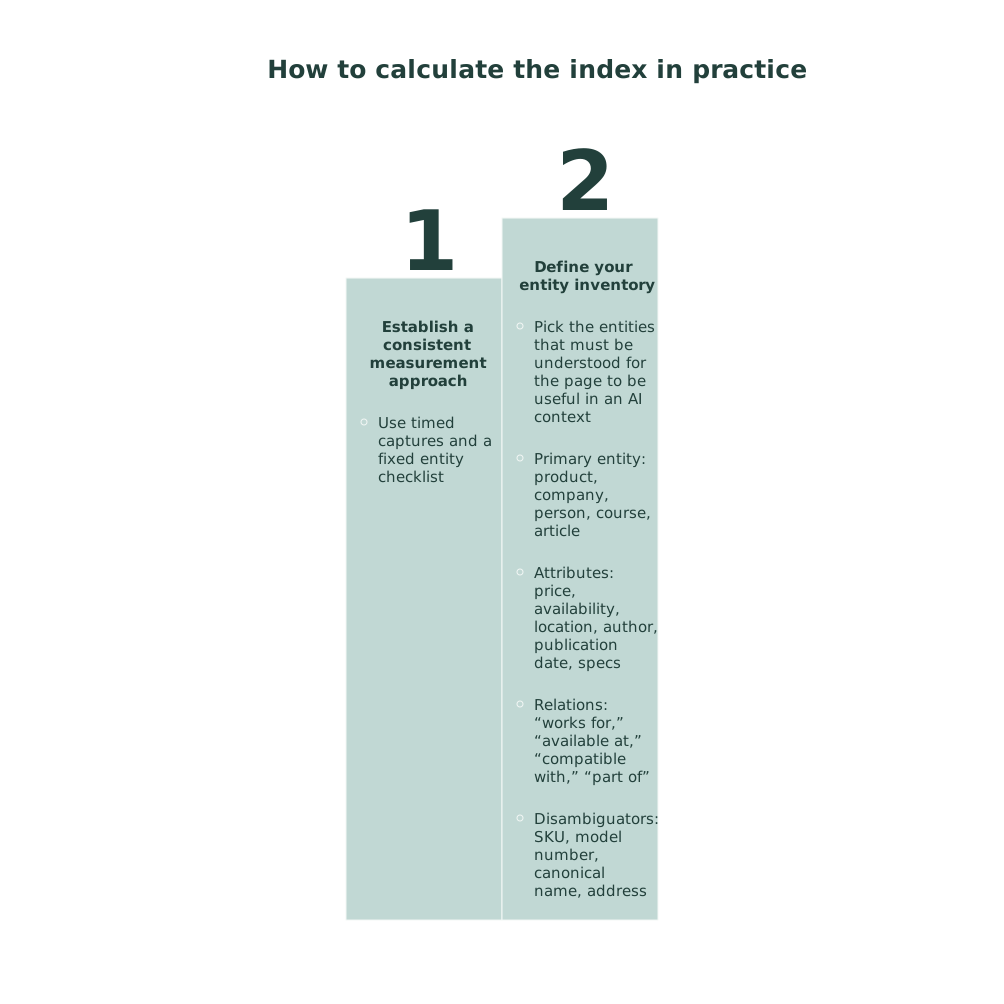
You don’t need a perfect formula to get value. You need consistent measurement. A strong baseline method uses timed captures and a fixed entity checklist.
Step 1: define your entity inventory
Pick the entities that must be understood for the page to be useful in an AI context. Examples:
- Primary entity: product, company, person, course, article
- Attributes: price, availability, location, author, publication date, specs
- Relations: “works for,” “available at,” “compatible with,” “part of”
- Disambiguators: SKU, model number, canonical name, address
Keep this list short per template. The goal is repeatability, not exhaustiveness.
Step 2: capture multiple snapshots
Capture the page at:
- T0: raw HTML response (no render)
- T1: first meaningful paint / initial DOM after hydration starts
- T2: after network idle or a fixed timeout (e.g., 3–5 seconds)
- T3: after deferred modules resolve (e.g., 8–12 seconds)
Then compare: which entities are present in HTML, which appear only after render, and which require interaction (tabs, accordions, “load more”). Those interaction-gated entities are the highest risk for headless LLM crawlers.
Step 3: score render lag and extractability
A simple scoring model:
- Coverage: % of required entities present at each snapshot
- Lag: median time-to-appearance for missing entities
- Stability: whether entities persist across subsequent snapshots (no flicker, no replacement)
- Dependence: whether presence requires third-party scripts or blocked calls
Your AI Render-Lag Index can be a 0–100 score where low scores indicate high risk: entities appear late, inconsistently, or only after interaction.
Common failure patterns that create late-loaded entity loss
Entity data only exists in client-side API responses
Product details fetched after hydration might never be seen by a crawler that snapshots early. Even if the DOM eventually updates, a strict render timeout can cut it off.
Critical copy hidden behind UI state
Tabbed content, accordions collapsed by default, or “click to reveal” sections can hide the only explicit mention of an entity attribute. Some extractors focus on visible text only; some focus on DOM; some do both. If it’s hidden, it’s fragile.
Third-party dependencies for first-party facts
If your canonical entity name or pricing comes from a tag manager, experimentation platform, or personalization layer, you’ve introduced a dependency that many headless systems will block or time out.
Structured data doesn’t match what renders
When JSON-LD states one thing and the UI shows another, entity confidence drops. Even if you’re “present,” you may be ignored or down-weighted.
Fixes that reduce render lag without rewriting your stack
1) Put the minimum viable entity in the initial HTML
Server-render the primary entity and the attributes needed for disambiguation. You can still load enhancements later. The goal is that T0 already contains enough for extraction: name, type, canonical identifier, and one or two key attributes.
2) Make structured data canonical and complete
Use JSON-LD that aligns with the page’s canonical URL, entity name, and identifiers. Make sure the structured data is not injected late by client-only scripts. If you’re diagnosing AI crawl issues, structured data and canonical entity presentation should be treated as a single system, not two separate checklists.
If you need a deeper framework for this alignment, the most direct reference is fixing AI crawl budget issues with structured data canonicals and clear entities.
3) Prefer progressive enhancement over “empty shell + hydrate”
Hydration isn’t the enemy. Empty shells are. If the initial response includes the entity core, the crawler’s early snapshot can still succeed even if later enhancements never run.
4) Remove interaction requirements for factual attributes
Keep interaction for UX, but ensure the facts exist somewhere extractable without a click. For example: include a short, plain-text spec summary above the tabs, and keep the full specs in the tabs for humans.
5) Audit redirects and chains that delay discovery
Render lag starts before render. Redirect chains slow down the crawl pipeline and can cause earlier cutoffs on rendering budgets. If your entities are already late-loaded, extra network hops make the failure more likely. The operational angle is covered well in the first-click trap and why redirect chains hurt deliverability, and the same mechanics apply to bot discovery and time budgets.
Operationalizing the index with continuous monitoring
The AI Render-Lag Index is most useful when it becomes a regression check for templates. Run it on:
- Top landing pages by traffic and conversions
- Pages that represent each template type
- Pages with heavy personalization or experiments
Then treat index drops like build breaks. If a redesign moves the author name behind an accordion or shifts pricing to a delayed API call, your score should fall immediately and trigger a fix.
This is where an AI visibility system helps. lunem is built around monitoring how content is interpreted and surfaced across LLM environments, using PEEC data to produce structured insight into what’s being captured, missed, and misattributed. The key is not a one-time audit; it’s detecting when entity extractability drifts over time.
What “good” looks like
A healthy page template usually has these properties:
- Primary entity and identifiers exist at T0
- JSON-LD matches the rendered facts
- Late-loaded content enhances but does not define the entity
- No critical attributes require clicks to appear
- Network dependencies are minimized and first-party
When you reach that state, headless LLM crawlers don’t need a perfect render to understand the page. They can fail partially and still capture what matters.