Why authentication “pass” is not the same as inbox placement
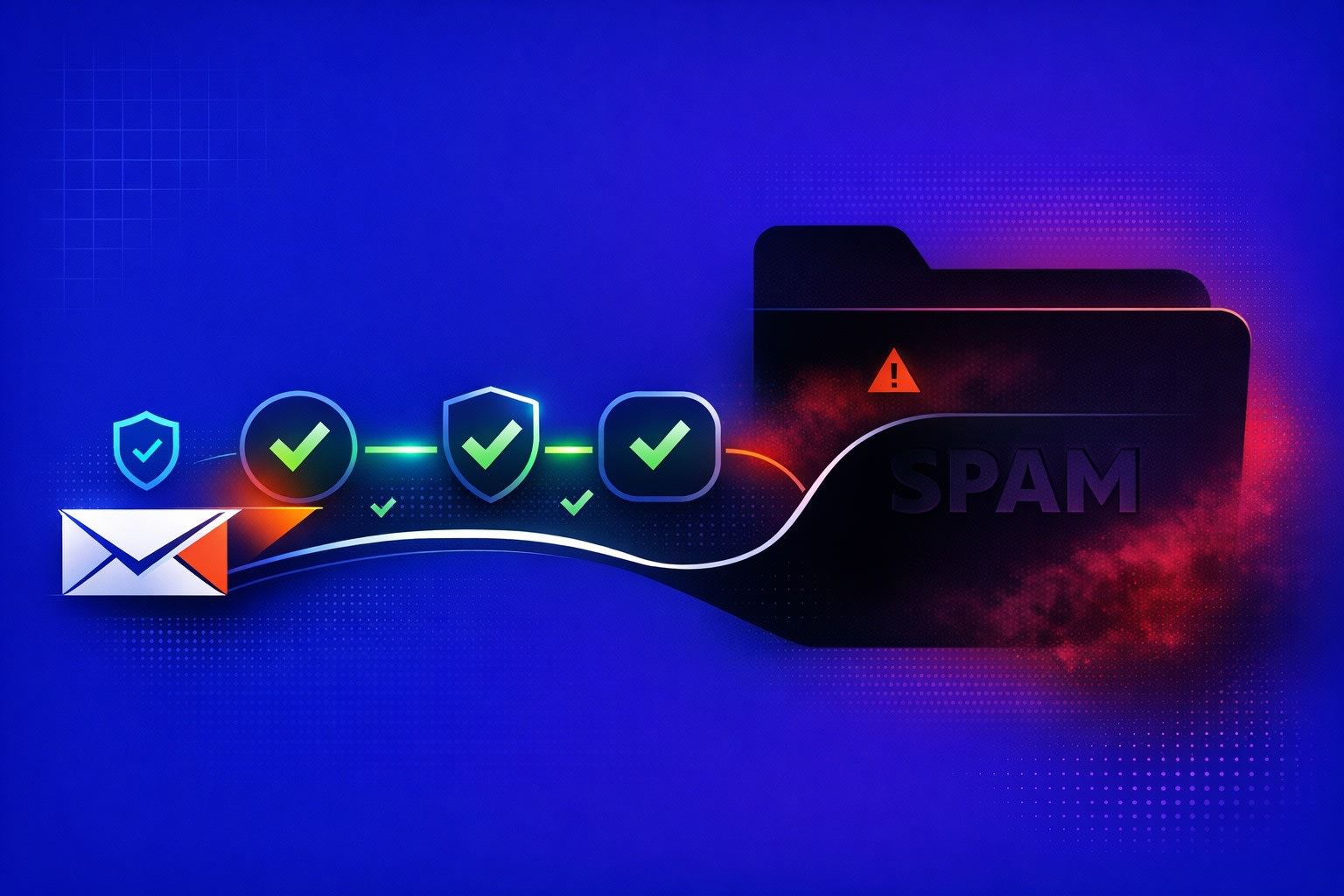
SPF, DKIM, and DMARC are table stakes. They answer one narrow question: “Is this message allowed to claim it’s from this domain?” When they pass, Gmail can trust the identity layer more. But inbox placement is a separate decision that depends heavily on domain and sender reputation.
That’s the gap many teams hit on new domains or newly created mailboxes. Everything authenticates. Yet Gmail still routes mail to Promotions or Spam. The reason is simple: authentication reduces suspicion. It does not create positive reputation.
How Gmail evaluates trust beyond SPF DKIM and DMARC
Gmail’s filtering system looks at a mix of historical and real-time signals. Authentication is one input. The bigger inputs are behavioral: how recipients interact with your mail, how consistently you send, and whether your sending pattern looks like a legitimate relationship or a bursty campaign.
Three concepts matter here:
- Domain reputation: trust accumulated by the visible From domain over time.
- Mailbox reputation: trust tied to the specific sender identity and its history.
- Infrastructure reputation: shared or dedicated IP reputation, plus any history tied to your SMTP setup.
A message can pass SPF/DKIM/DMARC and still score poorly on reputation. Gmail then has no reason to “reward” it with Primary inbox placement.
Why a “pass” can still look risky to Gmail
1) You authenticated a new identity with no history
A brand-new domain that suddenly sends 500 emails/day is authenticated spam in Gmail’s eyes: the identity is valid, but the behavior is unfamiliar. Reputation systems are conservative. They prefer gradual, consistent patterns.
2) Low or negative engagement signals
Gmail learns from what recipients do. If people don’t open, don’t reply, delete immediately, or mark as spam, domain reputation drops. This is where “pass” can still fail in practice: the message is legitimate, but unwanted.
3) Misalignment between visible From and aligned domains
DMARC relies on alignment: the domain in the visible From header should align with the domain authenticated by SPF (Return-Path) and/or DKIM (d=). You can have SPF and DKIM passing while DMARC fails if alignment is wrong. Some senders also unintentionally sign with a different DKIM domain (for example, a vendor domain), which can hurt trust even when delivery still happens.
4) Sending patterns that resemble automation
Filters detect sudden volume jumps, repeated templates, uniform timing, and recipient lists with little relationship context. Even if your content is fine, the pattern can look like a machine.
5) List quality problems show up as reputation problems
Bounces, unknown users, and low-intent lists drag down reputation fast. Gmail doesn’t only judge one message. It judges the stream of outcomes over time.
What engagement warmup is supposed to fix
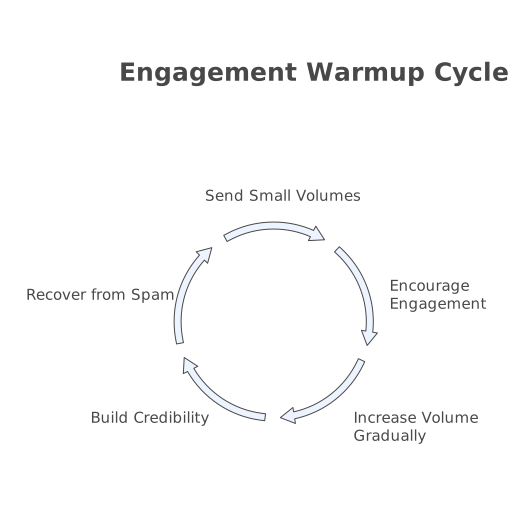
Warmup is not about “tricking” Gmail. It’s about creating a realistic early sending history that looks like normal email use: small volumes, natural back-and-forth, and healthy interaction signals. Done properly, it helps your domain and mailbox earn trust while you ramp up real outreach or customer email.
Warmup focuses on signals that authentication can’t generate by itself:
- Positive engagement: opens, replies, read time, and actions consistent with wanted mail.
- Gradual volume: predictable increases instead of spikes.
- Mailbox-level credibility: the idea that a sender behaves like a human user, not a blast engine.
- Spam recovery: correcting placement issues by moving messages out of spam when they land there.
This is also why warmup and authentication should be viewed as a sequence, not a choice. Authenticate first. Warm up second. Scale third.
A practical sequence to align authentication and reputation
Step 1) Lock down alignment before you send volume
Make sure DMARC passes with alignment. Verify:
- SPF includes the correct sending sources and doesn’t exceed lookup limits.
- DKIM is enabled and signing with your domain.
- DMARC policy exists and reports are being collected.
If you use multiple tools (CRM, support desk, outbound platform), confirm each one authenticates correctly. A single unauthenticated stream can poison reputation.
Step 2) Warm up the domain and the specific mailboxes
Reputation forms at multiple levels. Warming “the domain” without warming the actual mailbox that will send your campaigns often underperforms. You want steady, human-like activity for each active sender identity.
Tools like mailwarm are built for this phase. The goal is to generate realistic engagement (opens, replies, inbox interaction) and do it consistently across major providers, including Gmail and Microsoft inboxes. That early history makes later scaling less volatile.
Step 3) Ramp volume slowly and keep it consistent
Gmail responds well to stable behavior. Avoid doubling overnight. Avoid long pauses followed by bursts. If your business is seasonal, keep a low “heartbeat” rather than going completely silent for weeks.
Step 4) Protect engagement with better targeting and relevance
Warmup can’t compensate for irrelevant email. Improve:
- Segmentation and tighter audience definition
- Subject lines that match the body
- Clear intent in the first two lines
- Reply-friendly asks (one question, not five)
If you’re doing outbound, review your reply strategy. The mechanics matter, but so does the psychology. The dynamics behind healthy reply rates are covered in how to warm up a new sending domain safely.
Step 5) Monitor outcomes, not just “pass/fail”
Authentication dashboards are binary. Deliverability isn’t. Track:
- Inbox vs spam placement in seed tests
- Gmail-specific engagement and complaint rates
- Bounce trends and suppression behavior
- Performance by mailbox, not only by domain
If you see a placement drop, reduce volume first. Then diagnose content, list quality, and sending patterns. Reputation usually recovers with time and consistent positive interactions.
Common traps that keep Gmail reputation low
Warming up but changing everything at launch
If warmup uses one style of messages and your real campaigns use a different sending tool, different links, different cadence, and different content structure, Gmail sees a new pattern anyway. Keep the transition smooth.
Using perfect authentication as a proxy for trust
A clean DMARC pass is necessary. It is not a “green light” for high volume. Treat it like a seatbelt, not an engine.
Ignoring internal ops signals that hint at deliverability issues
When inboxing drops, customer-facing symptoms show up: missed replies, delayed threads, more “did you see my email?” follow-ups. Having a simple alerting workflow around these signals can prevent long reputation slides. If you already centralize operational signals, the same discipline used in turning pings and tickets into a prioritized backlog applies to deliverability incidents too.