
Start with privacy-safe definitions that don’t need identity
On-site search is one of the most honest signals on a website. People tell you what they want in their own words. The problem is measurement. Traditional “search analytics” often leans on user IDs, cookies, or session stitching. You don’t need any of that to answer the questions that matter:
- Are people getting results?
- Are they refining queries because the first search failed?
- Does search help people complete key actions?
You can measure all three with aggregated events and short-lived, in-memory context. No cookies. No persistent identifiers. Use a privacy-first analytics tool as your baseline reference, and keep the instrumentation minimal. For many teams, that’s exactly why plausible.io is a practical fit: it’s designed around aggregate, cookie-free measurement and simple dashboards.
Instrument three core events for on-site search
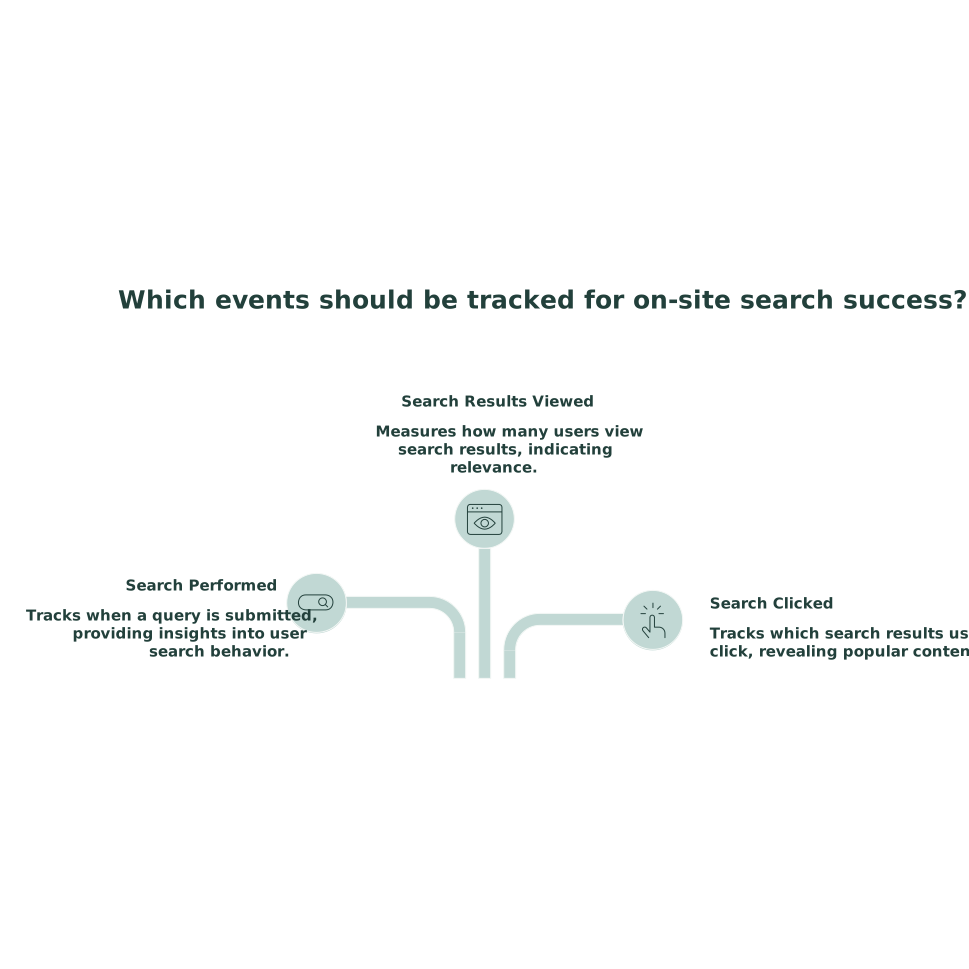
To measure search success, track three event families. Each event should be anonymous and event-scoped (no user profile, no cross-device linking).
1) Search performed
Fire an event when a query is submitted. Recommended properties:
- query_length (number): characters or tokens. Avoid sending raw queries by default.
- results_count (number): how many results were returned.
- search_context (string): where search happened (header, help center, docs, shop).
- filters_used (boolean or count): whether facets were applied.
If you need to learn from the exact wording, don’t send full queries to analytics. Instead, log them in your search backend with retention controls, or transform them before sending (for example: bucketed length + a coarse category label). This keeps your measurement useful without creating a pile of sensitive text.
2) Result interaction
Clicks and next-step actions are your strongest “did it help?” signal. Track:
- search_result_click: fired when a result is clicked.
- Optional properties: rank (1, 2, 3…), type (article/product/page), results_count, search_context.
If your search UI supports instant answers (snippets), track search_answer_view separately. “No click” is not automatically “failure” if the answer was delivered on the results page.
3) Search refinement
A refinement is when someone searches again shortly after searching, typically because the first query didn’t land. You can detect refinements without identity in two ways:
- UI-level (in-memory) method: keep the previous query timestamp in memory (not storage) and fire a search_refine event if a second query occurs within a short window (for example 60–120 seconds).
- Backend method: if your search API receives requests, detect “rapid repeat searches” per request context and emit an aggregated metric. This can be done without assigning a user ID.
Both approaches avoid cookies. The first is simplest when you control the front end.
Measure zero-result queries in a way that leads to fixes
A zero-result query is any search where results_count = 0. The metric is simple, but the workflow matters.
Metrics to track
- Zero-result rate: zero-result searches / total searches
- Zero-result share by context: header vs help center vs docs
- Downstream behavior after zero results: refine rate, exit rate from the search page, and support/contact events
In a privacy-first setup, you’re not trying to reconstruct a person’s path. You’re trying to see whether search is systematically failing and where.
Turn zero results into an action list
Zero results are most valuable when they map to a fix you can ship:
- Content gap: create the missing page or article.
- Synonym gap: add synonyms (“receipt” vs “invoice”).
- Taxonomy mismatch: improve facets and categories.
- Indexing gap: the page exists but isn’t indexed or is blocked.
- Spelling/locale gap: add spelling tolerance and regional variants.
Be careful with logging raw queries. If your site can attract personal data in search (names, emails, patient terms), implement a redaction policy and keep retention short. This is where a separate operational playbook helps; see the internal guide on redacting sensitive data without losing searchability.
Quantify refinements as a friction signal
Refinements are often more diagnostic than zero results. Many “bad searches” return results, just not the right ones. Track:
- Refinement rate: refinements / total searches
- Refinement depth: average number of searches until a click
- Refinement after zero results: refinements where the previous results_count was 0
Interpretation guidelines:
- High refinements + low clicks: relevance issue, poor ranking, or confusing snippets.
- High refinements + high clicks: search works, but query understanding could improve (autocomplete, suggested filters).
- High refinements in one context: that search box is attracting different intent (for example support intent vs product browsing).
Track search-to-conversion without identity
“Search-to-conversion” does not require linking to a person. It requires a consistent definition of “conversion” and a way to attribute it to a search context.
Pick conversions that are observable as events
Examples:
- Checkout completed
- Demo request submitted
- Account created
- Pricing page CTA click
- Docs: “Was this helpful?” positive vote
In Plausible-style setups, these map naturally to goals or custom events. The key is adding a small amount of context at the moment of conversion.
Use short-lived “search happened” context, not a user ID
When someone performs a search, keep a boolean flag in memory like searched_this_visit = true for the current page lifecycle (or until tab close). Then, when a conversion event fires, send a property like after_search = true/false.
This answers a high-value question: What share of conversions happened after using search? It’s not perfect attribution, but it’s privacy-safe and decision-useful.
Separate “search-assisted” from “search-led” conversions
- Search-assisted: conversion happened after any search in the same tab lifecycle.
- Search-led: conversion happened after a search and a search result click (stronger signal).
Track both. If “assisted” is high but “led” is low, your search UI may be good for orientation but weak at driving people to the right destination.
Build a simple dashboard that stays readable
A workable on-site search dashboard can fit on one screen:
- Total searches and searches per pageview
- Zero-result rate
- Result click-through rate (CTR)
- Refinement rate
- Search-assisted conversion rate and search-led conversion rate
- Top contexts (help center vs header vs docs) by volume and failure rate
Keep segmentation conservative. In cookie-free analytics, over-segmentation can create sparse data and misleading swings.
Common pitfalls in cookie-free search measurement
- Sending raw queries into analytics: it’s tempting, but it increases privacy and compliance risk. Prefer backend logs with redaction and retention controls.
- Counting “no click” as failure: instant answers and quick scanning can be success. Measure refinements and next actions too.
- Ignoring bot traffic: search endpoints get scraped. Use bot filtering so your zero-result rate isn’t polluted.
- Measuring without an improvement loop: a weekly triage of top zero-result themes and high-refinement queries beats perfect instrumentation.
If you already track engagement via first-party events, align definitions so search metrics aren’t isolated. The approach in estimating visitor engagement without cookies pairs well with search measurement because both rely on small, aggregated signals rather than identity.