Why inbox placement can drop right after security changes
If you reset passwords across your org or roll out 2FA, you’re improving security. But you may also trigger a deliverability dip that looks unrelated: legitimate mail suddenly lands in spam, campaigns throttle, and reply rates fall.
This happens because mailbox providers treat security and identity signals as part of sender trust. When those signals change quickly, systems built to detect account takeovers and abuse may temporarily reduce confidence in your mailstreams. The result is often a “trust reset” period where you have to prove you’re still the same safe sender.
What “trust” actually means to mailbox providers
Inbox algorithms don’t use a single score. They combine many signals, including:
- Authentication alignment: SPF, DKIM, and DMARC consistency with the visible From domain.
- Reputation history: domain, IP, and sometimes mailbox-level patterns over time.
- Traffic shape: volume stability, cadence, and whether you suddenly change who you email.
- Engagement: opens, replies, deletes without reading, spam complaints, and “not spam” rescues.
- Content and link patterns: sudden changes in templates, tracking, or destinations.
A security rollout can indirectly disturb several of these at once, even if your copy and list haven’t changed.
Why password changes and 2FA rollouts can look suspicious
1) New login patterns can resemble account compromise
Security projects often change how and where people log in: different devices, new authentication methods, and new session behavior. When that coincides with sending email (especially from individual mailboxes), providers may treat it like a compromised account that started sending. Even if the message is legitimate, the timing is suspicious.
2) Sending clients and infrastructure often change at the same time
2FA rollouts frequently come with mail client re-authentication, app password changes, OAuth refreshes, or SMTP relay adjustments. That can cause:
- Some systems to fall back to a different outbound path or IP pool.
- Broken or missing authentication on a subset of traffic.
- Unexpected “burst” behavior while jobs retry after auth errors.
Even small shifts can disrupt reputation continuity.
3) Authentication drift can show up unexpectedly
A common failure mode after changes is subtle misalignment: SPF passes but doesn’t align, DKIM signing changes, or DMARC fails for certain tools. These issues don’t always break delivery instantly, but when trust is already shaky, they matter more.
4) Engagement can drop for non-deliverability reasons
During IT/security transitions, recipients may be busy, internal inbox rules may change, or message timing shifts. If engagement drops at the same moment your identity signals shift, filters may interpret the combined pattern as unwanted mail.
Symptoms you’re in a “trust reset” window
- Previously healthy campaigns start landing in spam across multiple providers.
- Delivery looks “successful,” but inbox placement tanks.
- Replies and opens fall sharply with no list or content change.
- Some segments deliver fine while others are heavily filtered (often new or low-engagement recipients).
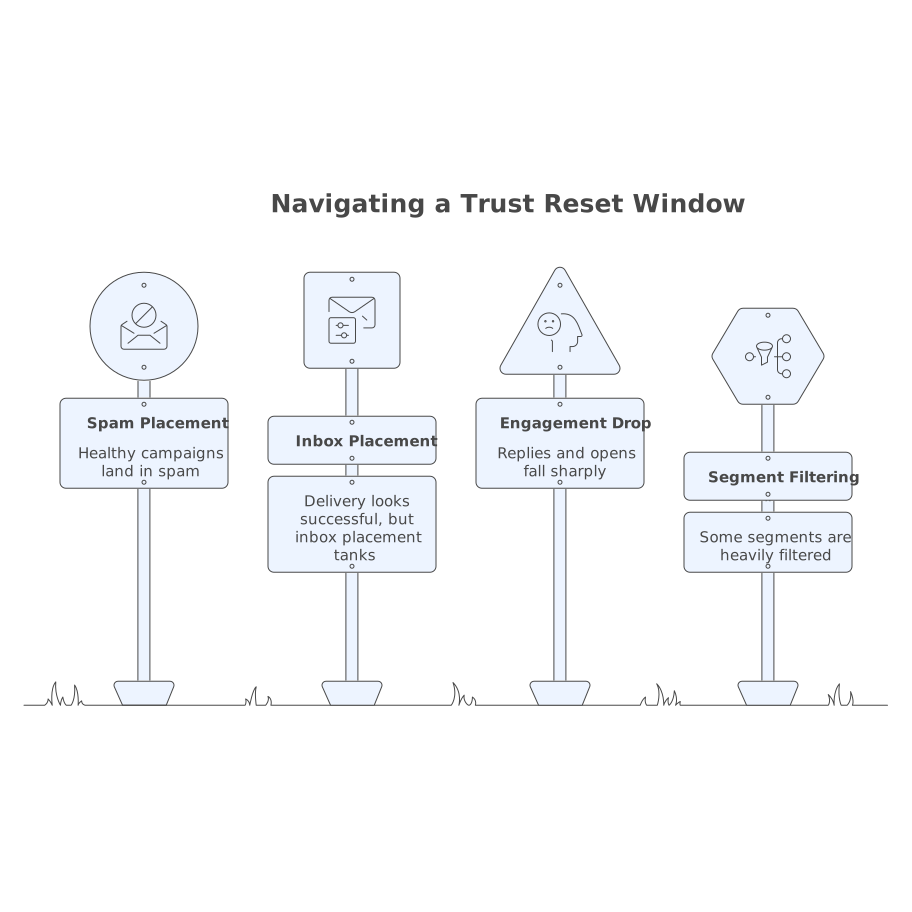
The key is timing: if the drop begins within days of widespread credential or authentication policy changes, treat it as a trust continuity problem.
How to rebuild trust safely without making it worse
Step 1: Confirm authentication is stable and aligned
Before you “warm up,” make sure the foundation is solid:
- Validate SPF includes the correct sending services and stays under DNS lookup limits.
- Confirm DKIM is signing consistently for the From domain you use.
- Check DMARC alignment and review failure sources.
If you’re simultaneously trying to recover inbox placement and fixing auth, you can end up diagnosing noise. Stabilize first, then rebuild.
Step 2: Freeze major changes for two to four weeks
Deliverability recovery is easier when you stop moving targets. Avoid during the recovery window:
- Switching sending domains or rotating From names.
- Major template overhauls and new link tracking setups.
- Large list imports or suddenly expanding to cold segments.
This is less about being conservative and more about making your signal consistent again.
Step 3: Rebuild engagement from your safest recipients first
Start with recipients who historically open and reply. They provide the cleanest positive signals. Tactics that help:
- Send to your most active segments first, then expand gradually.
- Prefer conversational, reply-friendly messages over image-heavy blasts.
- Ask for a simple response when appropriate (a one-line reply is often stronger than an open).
If you need a practical structure for gradually expanding outreach without guessing, the logic is similar to how you’d manage capacity in operations: limit what’s in progress, then widen. The same thinking applies to deliverability recovery.
Step 4: Reduce complaint risk while trust is fragile
During a trust reset, small increases in spam complaints can have outsized impact. Tighten hygiene:
- Exclude unengaged recipients temporarily rather than “trying again.”
- Make unsubscribe easy to find and process quickly.
- Watch role accounts and group addresses that tend to complain.
Also avoid sending “because we can” volume. Recovery favors consistency over force.
Step 5: Use warmup to re-establish positive mailbox-level signals
Warmup is designed for moments like this: you need to generate healthy engagement patterns that look normal to inbox providers. A platform like mailwarm automates warmup by creating real, human-like interactions (opens, replies, and inbox actions) across major providers. That can help rebuild domain, IP, and mailbox reputation signals in a controlled way, especially when you’re recovering from a sudden trust drop after security changes.
The important part is “controlled.” Warmup should complement your real sending, not replace it. Keep your core outbound behavior steady, and let warmup reinforce positive engagement while you ramp cautiously.
Monitoring that tells you recovery is working
You don’t need perfect attribution, but you do need a simple signal dashboard:
- Inbox vs spam seed tests across Gmail and Microsoft domains.
- Engagement trends on your most active segments (do they rebound first?).
- Complaint rate and unsubscribe rate (stability matters more than short-term volume).
- Authentication error rate by sending system (look for any stragglers after the rollout).
If you’re trying to diagnose visibility changes in search and AI summaries, you already know that noisy inputs hide true movement. The same applies here: reduce variables, track a few metrics tightly, then expand.
Two internal fixes that prevent the next trust reset
Make identity changes deliberate and staged
When rolling out security changes, treat email identity as production infrastructure. Stage changes, document what moved, and avoid stacking multiple deliverability-impacting shifts in the same week.
Fix crawl and entity clarity in your email ecosystem documentation
This sounds unrelated, but teams often lose track of which domains, tools, and authentication records are “source of truth.” Clear documentation reduces accidental drift. If you manage lots of properties, it’s similar to how you’d fix AI crawl budget issues with structured data, canonicals, and clear entities: make the system unambiguous so automated evaluators don’t misclassify you.
What to expect on timeline
Some senders see improvement within a week once authentication is stable and volume is restrained. Others take several weeks, especially if engagement was already weak or if multiple sending systems are involved. The safest approach is incremental: prove stability, then earn back trust with consistent engagement signals.