Why the first click matters more than your click rate during warmup
During email warmup, inbox providers are not just judging whether people click. They are judging what happens immediately after the click.
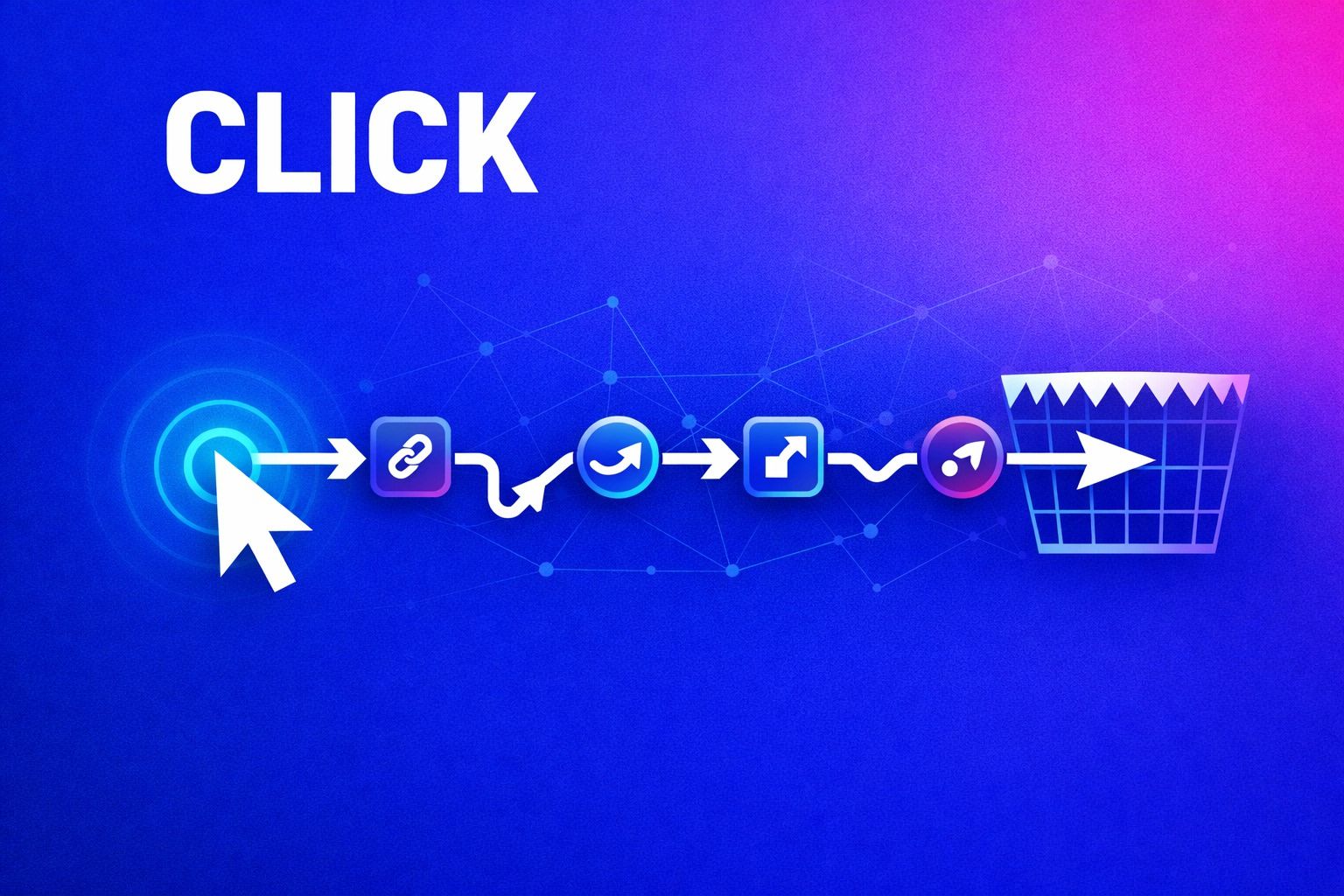
The “first-click” trap is when the first URL in your email points to a tracker or a redirect chain. That first hop can look suspicious, break in some clients, or trigger a safe-browsing warning. Even if your final landing page is clean, the damage can happen before the user ever reaches it.
Warmup is fragile because you’re building trust from a low baseline. Small negative signals stack fast: delayed loads, blocked redirects, mismatched domains, or “this link may be unsafe” interstitials. The result is worse inbox placement, slower reputation gains, and inconsistent results across Gmail, Outlook, and Microsoft 365.
What link tracking and redirect chains look like to inbox providers
Mailbox providers and security layers evaluate links in multiple ways: pre-delivery scanning, post-delivery scanning, and user-driven signals. Redirect chains add complexity to all three.
1) The visible domain doesn’t match the real destination
A tracking link often uses a different domain than the one the user expects. Example: your email shows a branded CTA, but the underlying URL is a shortener or tracking subdomain. That mismatch is a classic pattern in phishing and affiliate spam, so it attracts extra scrutiny—especially when your domain is new or recently ramping volume.
2) Multiple hops increase the chance of friction or failure
Every redirect is another point of failure: DNS lookups, SSL negotiation, latency, and the possibility that one hop is blocked by a corporate filter. If the click experience is slow or fails in certain environments, you’ll see fewer downstream engagements (time on page, second click, form completion). During warmup, that can look like “people don’t like this sender.”
3) Security scanners “click” before humans do
Many organizations and mailbox providers run automated link scanners. If those systems hit your tracker first, they may follow the chain differently than a browser, trip bot protections, or land on a generic “blocked” page. That creates noisy engagement patterns: lots of clicks with no real browsing behavior. For a warming sender, noisy patterns are not your friend.
How the first-click trap tanks deliverability in practice
The deliverability hit rarely shows up as a single obvious error. It shows up as subtle reputation drag.
Inbox placement stalls
Warmup tools can generate positive engagement signals, but if your real campaign traffic is routed through questionable redirect paths, inbox placement can remain inconsistent. You may see one provider accept you while another starts pushing to spam or “Promotions” more aggressively.
Higher variance across recipients
Corporate recipients often sit behind additional filtering that aggressively rewrites, scans, or blocks links. Redirect chains increase the chance that your email looks different after rewriting, or that the “first click” becomes a dead end. That variance makes it harder to interpret what’s actually working.
Unnatural engagement footprints
If tracking causes fast bounces, interstitial warnings, or bot-click spikes, your engagement looks abnormal: a surge of “clicks” that do not correlate with reading time, replies, or sustained browsing. Providers are good at detecting patterns that don’t match real humans.
Common redirect patterns that cause warmup problems
You don’t have to ban tracking entirely. You do have to avoid the patterns that create the worst first-hop signals.
Link shorteners and generic tracking domains
Shorteners compress everything into a domain with a long history of abuse. Even legitimate uses can inherit that reputation risk. During warmup, that’s an unnecessary gamble.
Long redirect chains
Chains happen when you stack: tracker → marketing platform → regional router → HTTPS canonical → final page. Each additional hop increases risk. Keep it tight.
Mixed branding across domains
If your email is from one domain but all links jump to unrelated domains, you create a trust gap. Warmup is about consistency: sender identity, authentication, and on-click destination should reinforce each other.
How to fix it without giving up attribution
You can keep measurement while reducing risk. The goal is to make the first URL as trustworthy and as close to the final destination as possible.
Use a branded tracking domain that matches your sender identity
If you must track, use a branded subdomain aligned with the domain you’re warming (or the primary brand domain). Keep SSL clean, use stable DNS, and avoid rotating domains. Consistency beats cleverness during warmup.
Minimize hops and remove “decorative” redirects
Audit your click path. If your tracker can redirect directly to the canonical final URL, do that. Remove unnecessary intermediate redirects like geo routers unless they are essential.
Make the landing page fast and uncontroversial
Even a perfect click path can fail if the destination triggers warnings: aggressive popups, misleading download prompts, or heavy scripts. During warmup, route traffic to simple, fast pages first. Save complex flows for later.
Separate warmup from heavy tracking experiments
Warmup is not the time to A/B test three redirect providers, rotate short domains, and change parameters daily. Keep your infrastructure stable until your baseline reputation is strong.
Warmup-specific guidance for tracking choices
Email warmup is about building reputation gradually with consistent, human-like engagement. That includes the click experience. Platforms like mailwarm focus on generating authentic engagement signals across major providers, but your live campaigns still need to avoid trust-eroding patterns like suspicious first-hop links.
A simple rule works well: during early warmup, prioritize clean destinations and minimal redirects. Once placement is stable and reply rates are predictable, introduce more advanced tracking—slowly, and with monitoring.
A quick checklist to avoid the first-click trap
Link path
- First hop is branded and aligned with your sending domain
- No link shorteners for warmup-phase sends
- Redirect chain is 0–1 hops when possible
Security and reliability
- HTTPS everywhere, valid certificates, no mixed content
- Stable DNS and no frequent domain switching
- No bot-blocking pages that show “access denied” to scanners
Engagement sanity
- Clicks correlate with real browsing behavior (time on page, second click)
- No abnormal click spikes from security scanners
- Destination pages load quickly and avoid “scammy” UX
When tracking is worth the risk and when it isn’t
If you’re sending to a mature list from a domain with strong reputation, tracking links are usually fine. During warmup, the same stack can be too much friction for too little value.
Warmup is a trust-building phase. Your infrastructure should signal consistency: who you are, what you’re sending, and where your links go. Clean first clicks help mailbox providers—and recipients—decide you belong in the inbox.
If you’re also trying to measure post-click behavior without relying on third-party cookies, keep the measurement on the site side using first-party events. That approach reduces the pressure to cram everything into the email link itself and keeps the click path simpler. For a practical model, see estimating visitor engagement without cookies using scroll depth and first-party events.
Vertical Video