
Why “default channel grouping” becomes a split-brain problem
Most teams end up with three different truths about “channel”:
- GA4 assigns traffic to Default Channel Grouping based on source/medium and rule logic.
- Ad platforms report performance by their own channel labels (and often by campaign objective or placement taxonomy).
- Your warehouse needs stable, analysis-friendly dimensions that don’t change every time GA4 rules or campaign naming evolves.
The split-brain shows up when you try to reconcile spend and outcomes across systems. You can match totals, but not categories. Or you can make categories match, but break historical ROAS because last year’s “Paid Social” isn’t the same as this year’s “Paid Social.” The solution is not picking one taxonomy. It’s designing an explicit mapping layer that preserves history while improving future consistency.
What causes drift between GA4, ads platforms, and the warehouse
GA4 is session-based and rules-driven
GA4 Default Channel Grouping is derived from traffic dimensions like source, medium, and sometimes campaign. It is also sensitive to:
- UTM hygiene and inconsistent medium values (cpc vs paid vs paid_social).
- Auto-tagging and connectors that rewrite source/medium.
- Changes to GA4 channel definitions or custom channel groups.
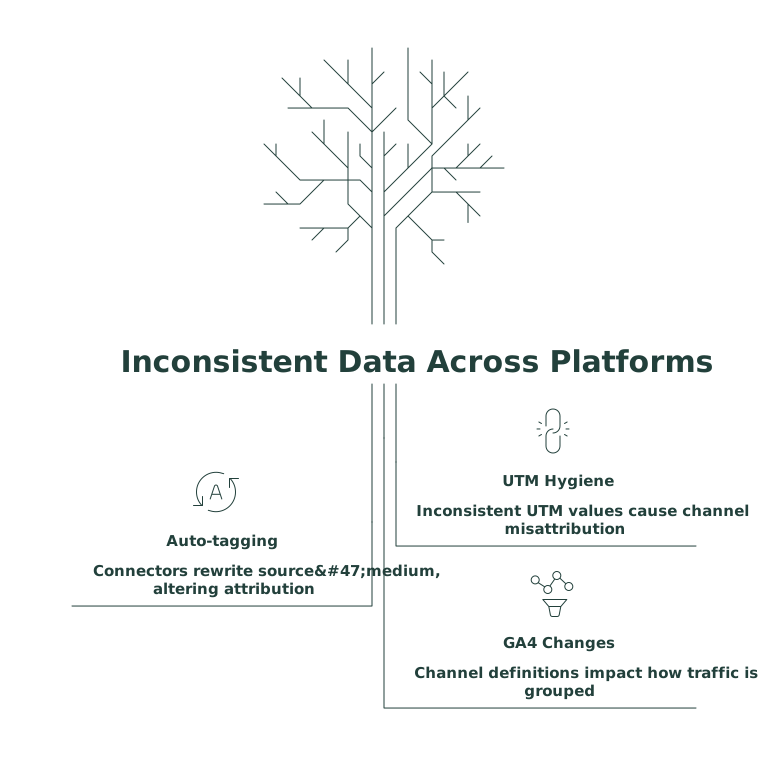
So even if your paid media strategy is stable, GA4’s grouping can change when the inputs change.
Ad platforms are account- and product-centric
Meta, Google Ads, LinkedIn, TikTok, and others report in terms that are optimized for buying media, not cross-channel analysis. “Campaign type,” “network,” “placement,” and “objective” can behave like pseudo-channels. That’s useful inside the platform, but it rarely aligns cleanly with GA4’s channel buckets.
The warehouse wants stable dimensions, not shifting definitions
Your warehouse is where you need durable reporting. When leadership asks “how is Paid Search ROAS trending since 2022,” you can’t rely on a definition that was implicitly changing in GA4 or ad platforms. You need a versioned taxonomy.
The guiding principle: separate measurement from classification
To reconcile channel taxonomies without breaking historical ROAS, treat channel as a derived classification rather than a raw field you inherit from a tool. Keep:
- Raw identifiers (source, medium, campaign, platform, account, network, placement).
- A mapping layer that converts raw identifiers into your business channel taxonomy.
- Versioning so past data stays mapped using the rules that existed at that time.
This is also the cleanest way to handle cases where GA4 says “Paid Social” but the ad platform data arrives as “Meta Ads” or “Facebook/Instagram.” Both can be true; your warehouse channel becomes the reconciled view.
Design a warehouse-first channel taxonomy that can survive change
Start with a small set of business channels
Most teams do better with 8–15 channels than with 30. Examples: Paid Search, Paid Social, Display/Programmatic, Video, Affiliates, Email, Organic Search, Organic Social, Referral, Direct, Partnerships, Offline. The goal is executive clarity.
Keep a second layer for platform and tactic
Don’t force everything into one dimension. Use separate fields such as:
- channel (business reporting)
- platform (Google Ads, Meta Ads, LinkedIn, etc.)
- tactic (brand vs non-brand, prospecting vs retargeting, network)
This reduces pressure on “channel” to explain everything and lowers the risk of future remaps.
Build the mapping layer as data, not as scattered logic
The biggest historical ROAS breakage happens when channel rules live in too many places: GA4 custom groups, Looker Studio calculated fields, spreadsheet VLOOKUPs, and BI semantic layers. Centralize the mapping in the warehouse as a table:
- mapping_key (e.g., normalized source/medium + platform + campaign regex)
- channel, platform, tactic
- effective_start_date, effective_end_date
- rule_priority (to resolve overlaps)
- notes (why a rule exists)
With effective dating, you can change rules going forward without rewriting history. If you later decide that “Performance Max” should roll into Paid Search rather than Display, you can apply that change starting on a specific date and keep pre-change ROAS intact.
Reconcile GA4 and ad platform channels with a deterministic join
Normalize identifiers before mapping
Normalization is the unglamorous part that prevents endless exceptions. Standardize:
- UTM mediums to a controlled vocabulary (paid_search, paid_social, email, affiliate, etc.).
- Source naming (fb vs facebook vs meta).
- Campaign naming tokens (region, product line, objective).
This is where a marketing data infrastructure tool can help by applying transformations consistently before data lands in the warehouse. Funnel teams often use Funnel.io to collect GA4 and ad platform data into one analysis-ready dataset, then apply harmonization rules once instead of reimplementing them in every dashboard.
Use stable keys for spend-to-outcome alignment
Paid media data typically aligns on date + platform + account + campaign (and sometimes ad group). GA4 outcomes align on date + source/medium + campaign. You won’t always get a perfect campaign-level join, especially when GA4 campaign names diverge from platform campaign names. In those cases:
- Map each dataset independently to the same warehouse channel taxonomy.
- Report channel ROAS at the grain that’s reliable (often date + channel + platform).
- Keep a “match rate” metric so stakeholders understand where attribution cannot be reconciled deterministically.
Protect historical ROAS during taxonomy changes
Version your channel rules and freeze reporting periods
Make it a rule that any taxonomy update has:
- A start date for the new logic.
- A backfill policy (rarely “always backfill everything”).
- A note on which executive dashboards are frozen for board reporting.
This avoids the classic scenario where the CFO sees last quarter’s ROAS change retroactively because someone improved a channel definition.
Store both “GA4 channel” and “warehouse channel”
Don’t delete GA4’s Default Channel Grouping. Keep it as a reference field for debugging. Then use your derived warehouse channel for decision-making. When discrepancies appear, you can inspect raw GA4 grouping versus your mapping output and fix the root cause (usually UTM hygiene or missing rules).
Operational checklist for rolling this out
- Audit current channel definitions across GA4, platforms, and BI. Document differences.
- Create a canonical taxonomy with channel/platform/tactic separation.
- Implement normalization for UTMs and naming conventions.
- Ship a mapping table with effective dates and priorities.
- Dual-run reporting for 2–4 weeks: old vs new channel view.
- Lock a historical baseline for ROAS and communicate what changed and when.
If you already model engagement or conversion events in GA4 and need more robust first-party measurement patterns, the approach pairs well with estimating visitor engagement without cookies using scroll depth and first-party events, because cleaner event design reduces downstream channel ambiguity.